Start with your phone
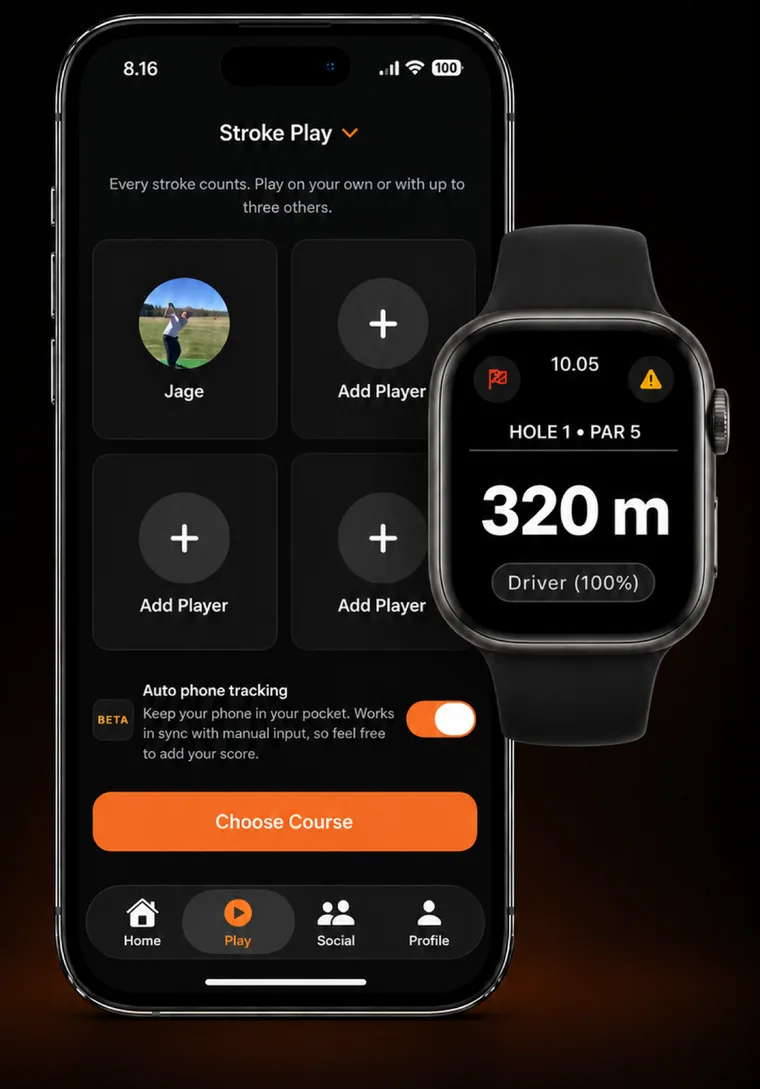
Automatic tracking starts before your first shot. In CNDR, open Play, choose your game format and turn on Auto phone tracking. Choose the course and start the round.
- Allow the permissions CNDR asks for. Tracking will not work without them.
- Keep your iPhone in your front trouser pocket while you play. The phone needs to be on you. A phone left in a golf bag or cart cannot track your shots.
- Play your round. Tracking continues with the screen locked. You can still enter hole scores by hand.
- Finish the round and open its review. Your shots appear on the round map, assigned to holes. Check them against what you played.
Your shots appear after you finish. There is no live shot counter to watch during play. Keep CNDR running during the round rather than force-quitting it.
What gets tracked
CNDR records your swings and putts and places each one on the course. After the round you get a shot-by-shot map, with distances and a hole-by-hole record you can check and edit.
Phone tracking is in beta. Occasionally a practice swing is counted as a shot, or a real shot is missed. Check chips, recovery shots and short putts carefully.
Review the round
The round map gives you a starting record to check. Add a missed shot, remove an extra one, correct a location and include any penalties. Compare the hole totals with your scorecard.

Check putts and clubs
Some putt positions and club names may be suggestions from CNDR rather than measurements. Check them before judging your putting or club distances. Correct anything that does not match what you played.
If you score a hole by hand, CNDR keeps your score. In foursomes, your phone cannot track your partner’s strokes on the shared ball; check the team score.
What a Watch adds
You can use CNDR’s phone-tracking beta without an Apple Watch or sensors attached to your clubs. With an Apple Watch, tracking moves to your wrist, and distances and a club suggestion are available at a glance.
| During your round | iPhone in your pocket | Apple Watch |
|---|---|---|
| Swing and putt tracking | Yes, in beta | Yes |
| Where to carry it | Front trouser pocket | On your wrist |
| Distances at a glance | On your phone | On your wrist |
| Practice swing analysis | Not available | Yes |
| Club sensors | Not required | Not required |
Phone and Watch tracking work differently, so do not expect identical results from both. For more on the Watch, read A swing, as seen from the wrist.
Use what you recorded
Once you have checked the round, use the shot map, club distances and strokes gained to decide what to work on. Accurate inputs matter: a wrong club or misplaced putt can change the story your statistics tell.
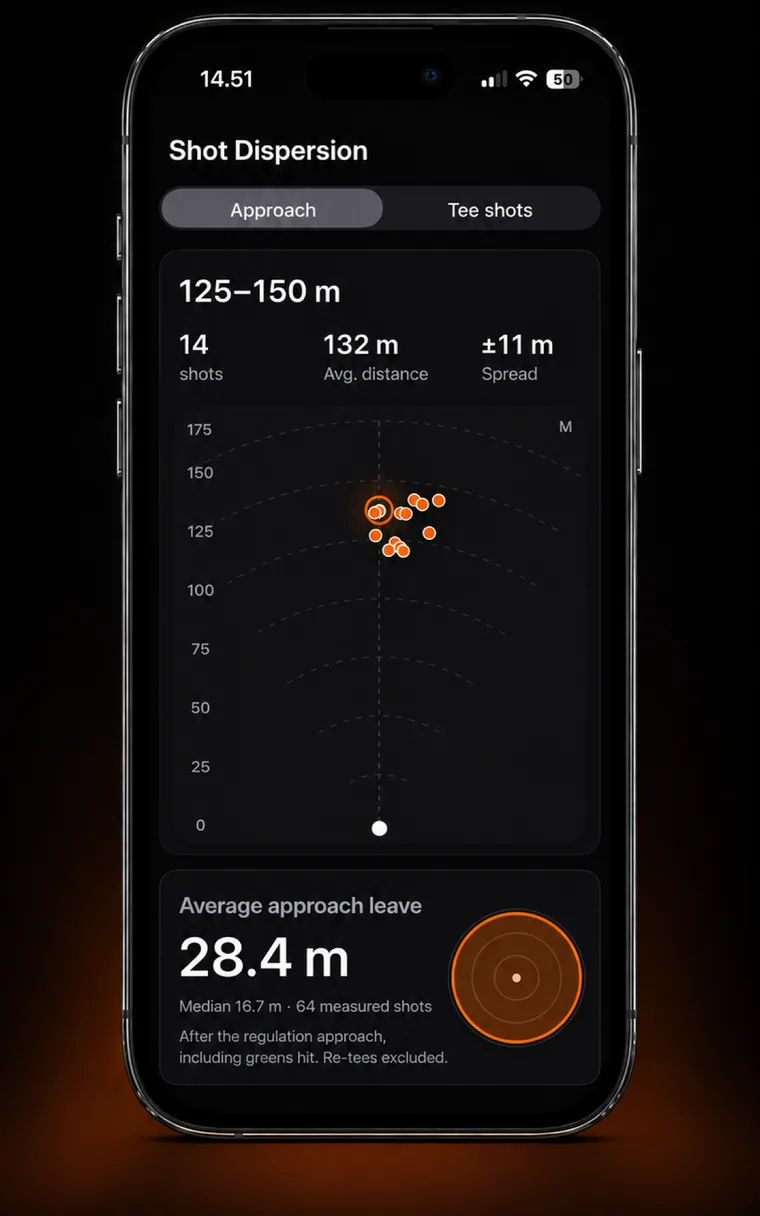
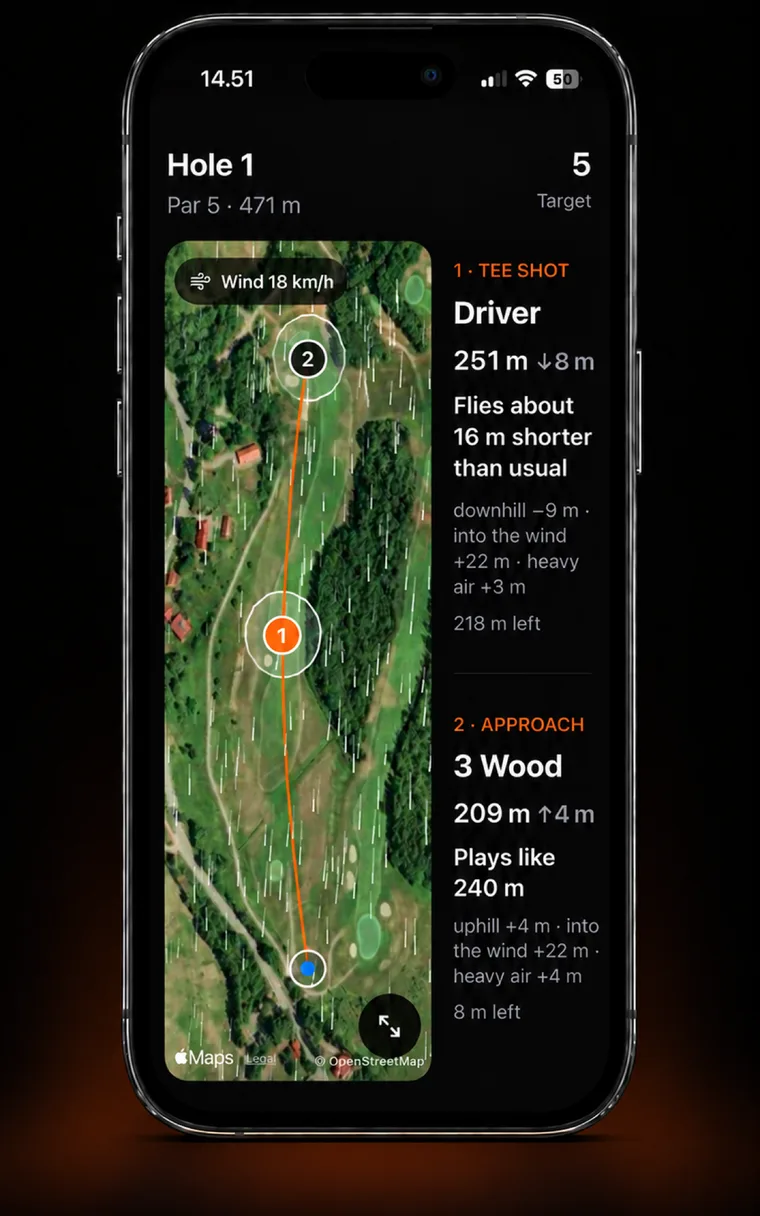
For the next round, CNDR can build a course plan from your club distances and dispersion. See how your shot pattern changes where to aim, or start with a worked strokes-gained example.
Using the beta
Expect to review and correct the result, especially on your first rounds. Allow time to check a round before relying on its statistics.
Battery use depends on your phone, settings and the round. Start with a charged phone and check battery use during your first outing.
If a round looks wrong, contact info@cndr.app with your iPhone model, iOS version, app version and a description of what happened.
Common questions
Do I need an Apple Watch?
No. CNDR’s Auto phone tracking beta tracks swings and putts with your iPhone in your front pocket. An Apple Watch and club sensors are not required.
Does it track putts?
Yes. Check the putting count and locations after the round, because the feature is in beta.
Can I lock the screen?
Yes. Phone tracking runs during an active round with the screen locked. Keep the phone in your front pocket and leave CNDR running.
Does it identify my club?
CNDR suggests a club rather than measuring it. Review the suggestion and correct it if you used a different club.
Can I still enter scores?
Yes. You can enter hole scores by hand while phone tracking is enabled, and CNDR keeps them. Check the shot map and putting details after the round.
Is phone tracking free?
CNDR’s free tier includes one automatically tracked round a week and three caddie plans a month. CNDR Pro removes those limits. Check the App Store for current pricing in your region.
About this guide. Published by CNDR. Describes the phone-tracking beta as reviewed on October 30, 2026. Product screenshots illustrate the app; they are not an accuracy benchmark.
Sources
- CNDR tracking overview and current plans.
- Apple Watch motion explained: how the wrist signal differs.